Internal CRM & operations platform · 2026
StravoOS
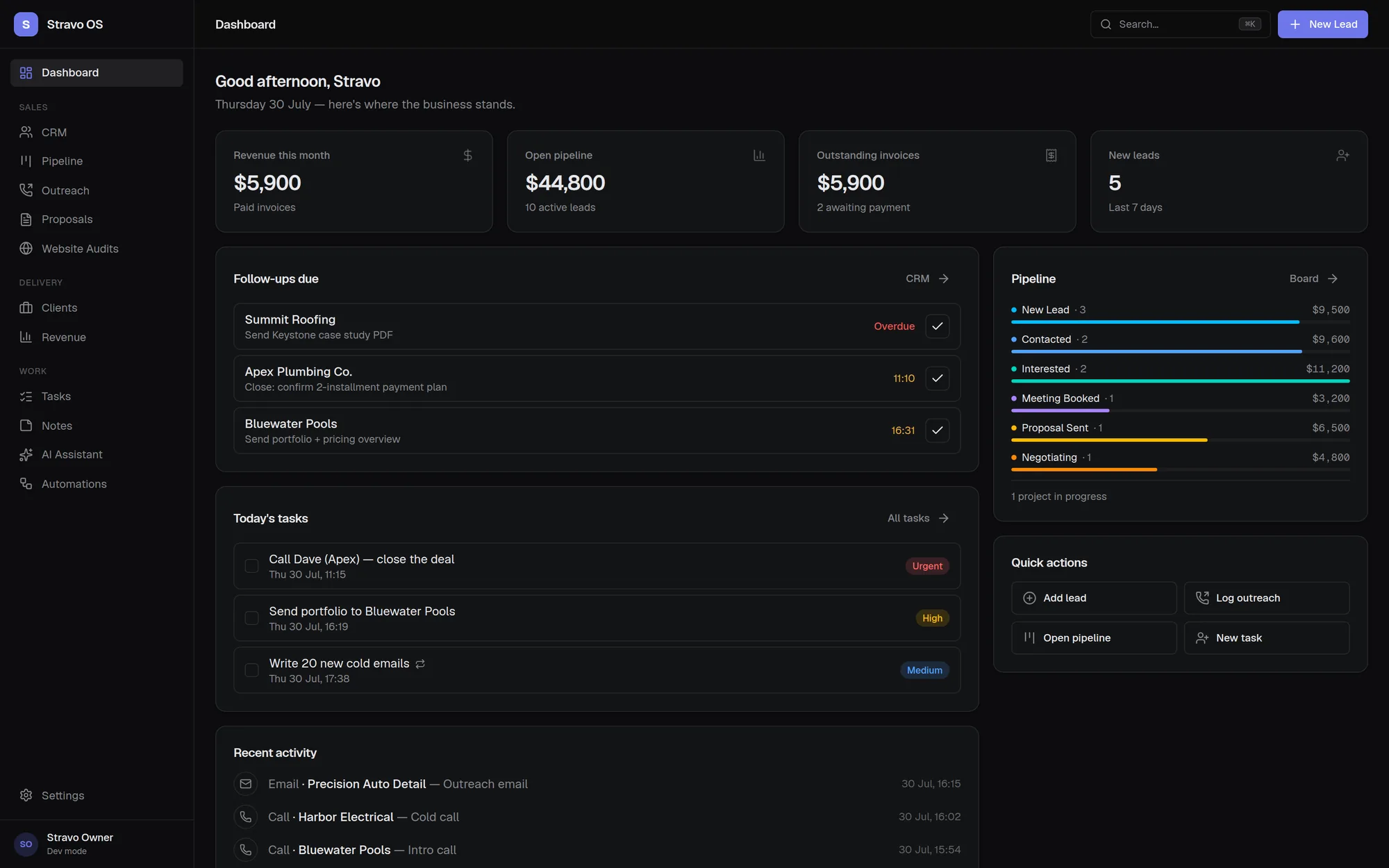
StravoOS is the internal system I built to run Stravo — one application instead of a spreadsheet, a notes app and a calendar that never agreed with each other. It covers the whole cycle: a lead arrives, gets worked through a pipeline, becomes a client with projects and invoices, and every touch along the way is logged so the outreach numbers are derived rather than typed in.
- 19
- Data models
- 11
- Modules
- 16
- Validated action modules
Objective
What the problem was
- Stop keeping the same lead in three places. A spreadsheet of prospects, a separate list of follow-ups and a notes file could not answer the only question that mattered — which deals are going cold right now.
- Make the activity numbers trustworthy. Any figure I would act on had to be computed from logged events, not maintained by hand.
- Build it so that adding a second user later would be a change, not a rewrite.
My role
Sole designer and developer. I made the product decisions — what the entities are, which modules earn their place, what degrades gracefully — and used AI assistance heavily while implementing them.
What I built
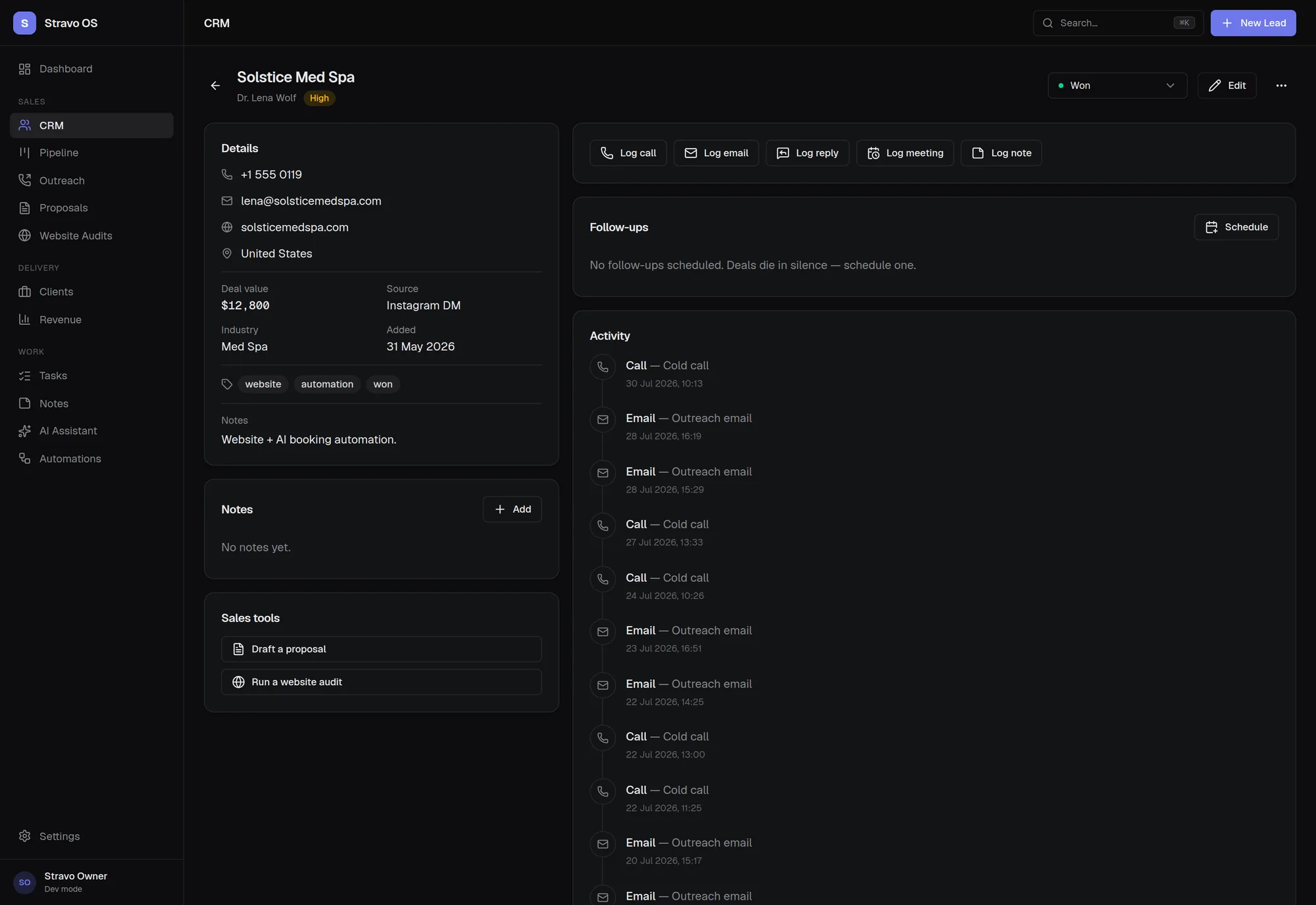
- CRM with full lead records — status, source, priority, deal value, tags, objections, lost reasons — plus search, filtering, sorting, bulk actions and a per-lead activity timeline.
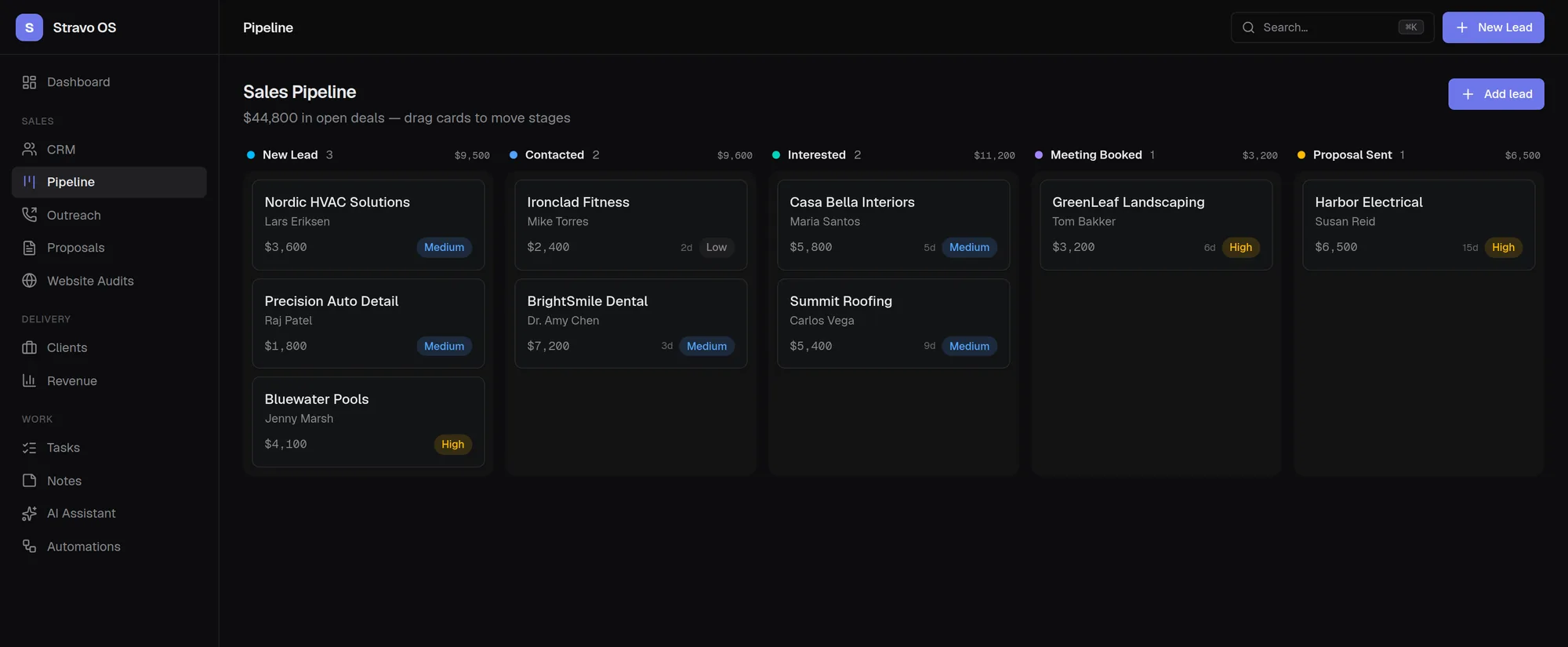
- Drag-and-drop sales pipeline over the same lead records. Dropping a card on Won converts the lead into a client.
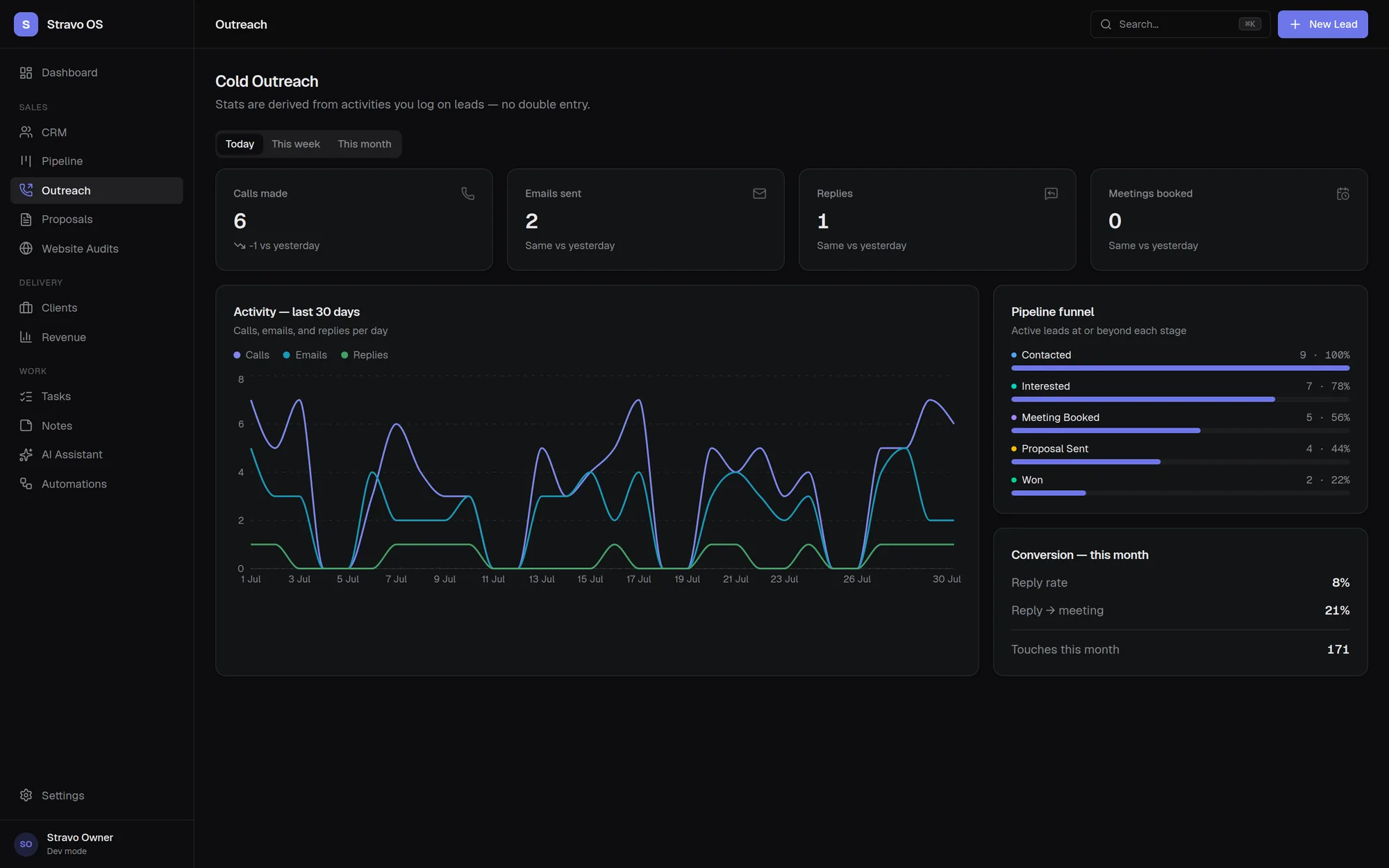
- Outreach analytics derived entirely from logged activities: 30-day trend chart, pipeline funnel, reply and meeting conversion rates.
- Tasks in board, list and calendar views, with priorities, due dates and recurring tasks that spawn their next occurrence on completion.
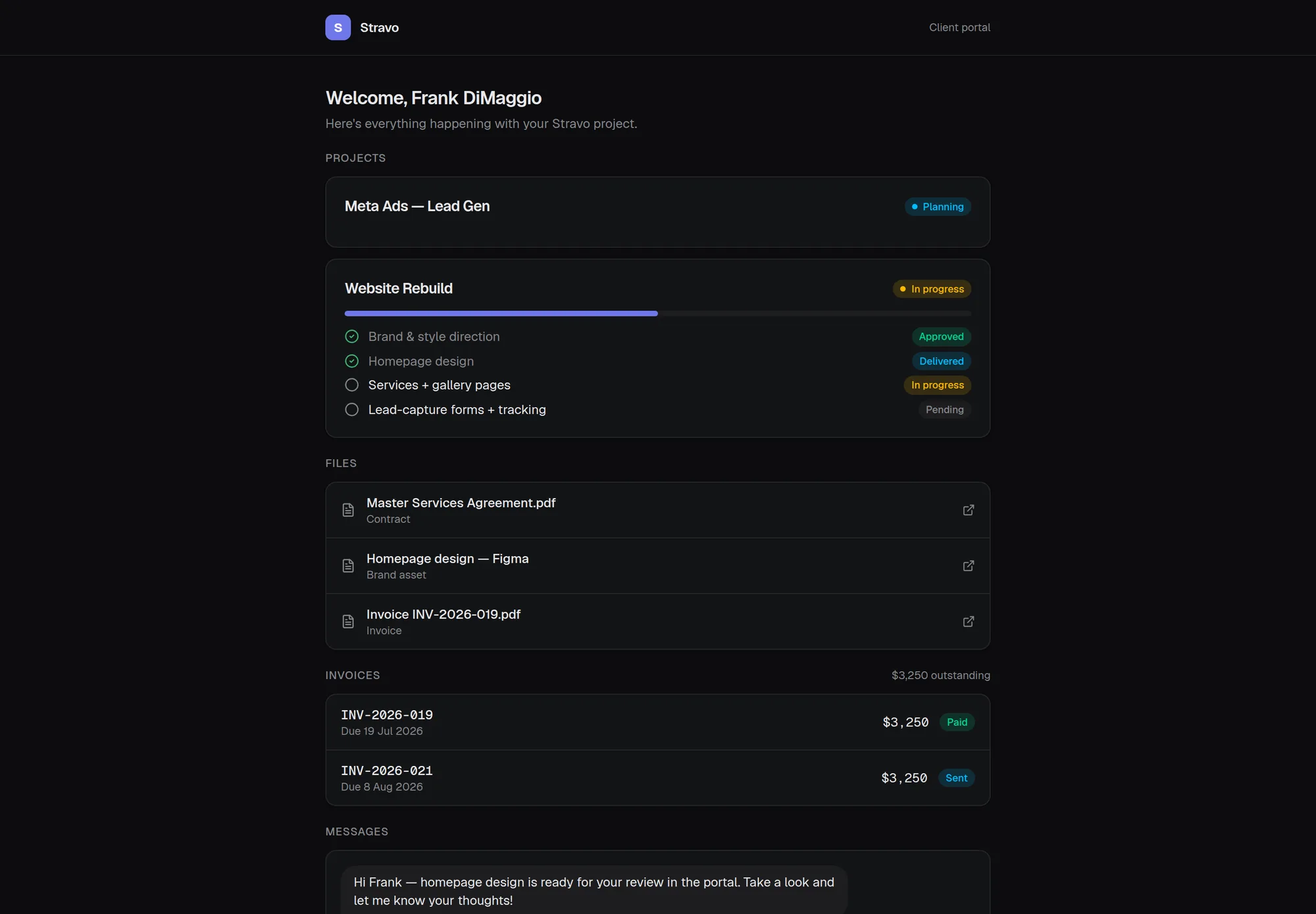
- Clients module with projects, deliverables, invoices, documents and a two-way message thread.
- A revocable, no-login client portal on a share token, giving a client a read-only view of progress and invoices and the ability to message back.
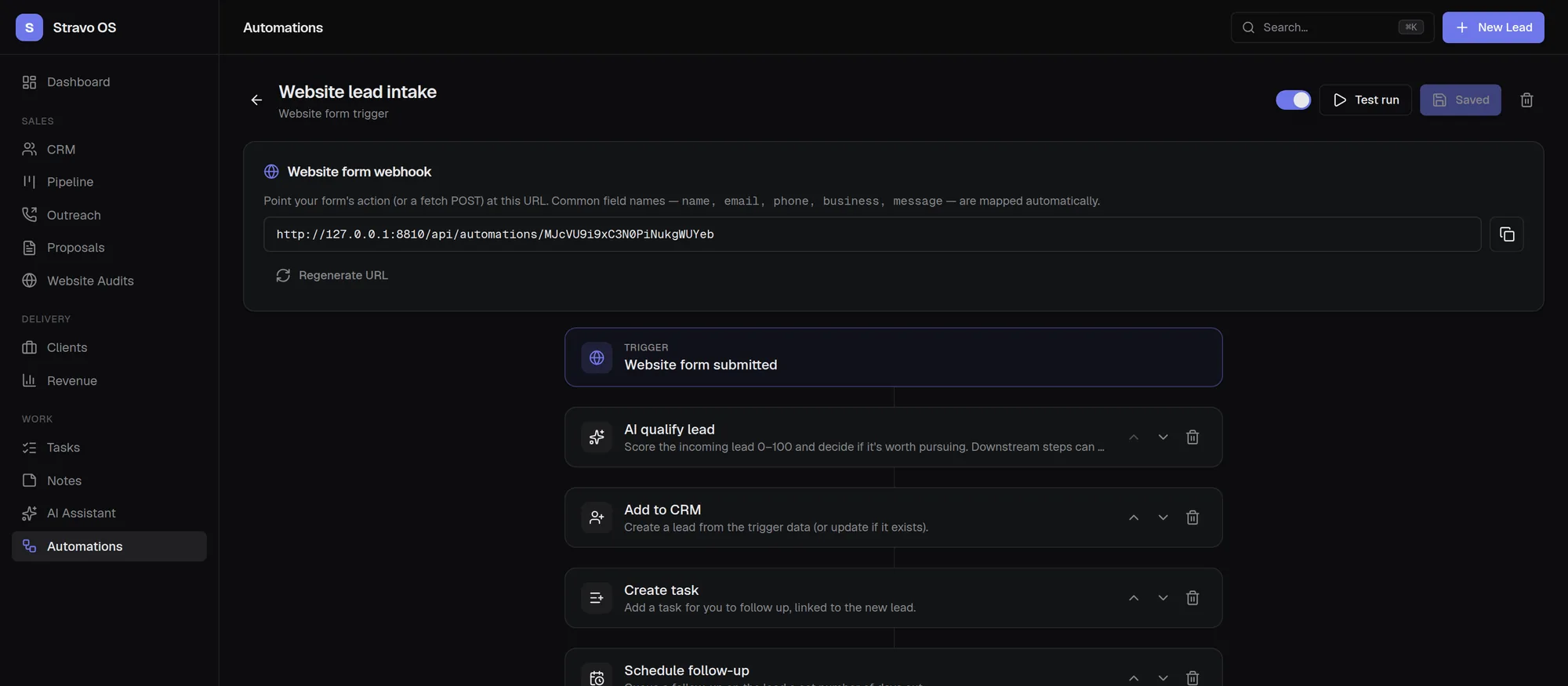
- An automation engine with a visual trigger-and-steps builder and a public webhook, which qualifies an inbound lead, adds it to the CRM, creates a task, schedules a follow-up and logs a notification — with per-run step logs.
- A website audit tool that scores a URL on SEO, speed, UX, trust and accessibility and exports a branded PDF report.
- A streaming AI assistant with read access to the CRM, pipeline and outreach data, able to create tasks and notes.
- An encrypted credential vault for client access details, and a ⌘K command palette for navigation and creation from anywhere.
Screens
Tools
Application
- Next.js 15 (App Router)
- React 19
- TypeScript
- Server Components
- Server Actions
Data
- PostgreSQL
- Prisma 7
- Zod validation
- Supabase Auth
Interface
- Tailwind CSS v4
- Radix primitives
- dnd-kit
- Recharts
- cmdk
Other
- Vercel AI SDK
- Node crypto (AES-256-GCM)
- Headless Chromium PDF export
- Vercel
Challenges
The decisions worth explaining
Three views, one entity
The CRM table, the pipeline board and the outreach tracker all describe the same prospects. Modelling them as three datasets would have meant three places to update and three chances to disagree. They are all views over a single Lead record, so moving a card on the board is the same write as changing the status in the table.
Numbers you can act on
Outreach statistics are computed from an Activity log — calls, emails, replies, meetings, status changes — rather than stored as counters. It costs more query work, but it means the figures cannot drift away from what actually happened, and the same log powers the per-lead timeline for free.
Designing for a second user before there is one
Every table carries a userId from the first migration. That single decision is what turns multi-user support and row-level security into an additive change instead of a schema rewrite — the kind of thing that is nearly free at the start and very expensive later.
Accepting untrusted URLs safely
The audit tool fetches whatever URL a user types, which is a server-side request forgery risk. Requests are guarded before they are made so the tool cannot be pointed at internal network addresses. Client credentials in the vault are encrypted with AES-256-GCM under a key that only ever lives in the environment.
Degrading instead of breaking
Every optional capability has a fallback. Without an AI key, lead qualification drops to a keyword heuristic and proposals fall back to templates. Without a vault key, the vault is simply unavailable. The application runs and is useful with nothing but a database connection string.
What I learned
- Schema decisions are the expensive ones. Interface mistakes take an afternoon to fix; the choice to put userId on every table, or to store money as integer minor units, is the difference between an evening and a rewrite.
- Feature count is not product quality. The modules that earn their place are the ones that remove a manual step — the pipeline board and the automation webhook get used; a module that only displays data does not.
- AI assistance made me faster at writing code and no faster at deciding what to build. The architecture notes in the repository README are the part I would defend in an interview.
- Writing the documentation exposed weak design. Twice I changed the schema because the explanation I was writing did not hold up.
Source code
The repository is private because it is a working internal system. I am happy to walk through the code and the schema in an interview, or to grant read access on request.
Next project
NewLab Systems
A seven-page bilingual site for a specialist diagnostics distributor, hand-written with no framework and no build step.